4
  • steam
  • GameCharts     Steam    Dynamic Dungeons Editor
    Month Avg. Players Gain % Gain Peak Players
    December 2025 25 -2 -7.41% 75
    November 2025 27 3 12.5% 85
    October 2025 24 0 0% 72
    September 2025 24 -4 -14.29% 63
    August 2025 28 3 12% 67
    July 2025 25 1 4.17% 60
    June 2025 24 -2 -7.69% 59
    May 2025 26 3 13.04% 70
    April 2025 23 -3 -11.54% 60
    March 2025 26 -3 -10.34% 70
    February 2025 29 3 11.54% 77
    January 2025 26 3 13.04% 78
    December 2024 23 -3 -11.54% 65
    November 2024 26 0 0% 70
    October 2024 26 -1 -3.7% 74
    September 2024 27 1 3.85% 73
    August 2024 26 -1 -3.7% 66
    July 2024 27 -2 -6.9% 60
    June 2024 29 3 11.54% 67
    May 2024 26 -8 -23.53% 68
    April 2024 34 3 9.68% 88
    March 2024 31 5 19.23% 77
    February 2024 26 -2 -7.14% 76
    January 2024 28 5 21.74% 81
    December 2023 23 -5 -17.86% 64
    November 2023 28 -2 -6.67% 73
    October 2023 30 1 3.45% 80
    September 2023 29 3 11.54% 76
    August 2023 26 -7 -21.21% 69
    July 2023 33 3 10% 75
    June 2023 30 -1 -3.23% 77
    May 2023 31 -1 -3.13% 81
    April 2023 32 2 6.67% 78
    March 2023 30 2 7.14% 78
    February 2023 28 3 12% 74
    January 2023 25 4 19.05% 76
    December 2022 21 -2 -8.7% 55
    November 2022 23 -1 -4.17% 63
    October 2022 24 2 9.09% 57
    September 2022 22 -1 -4.35% 55
    August 2022 23 2 9.52% 66
    July 2022 21 2 10.53% 50
    June 2022 19 -2 -9.52% 53
    May 2022 21 2 10.53% 61
    April 2022 19 1 5.56% 50
    March 2022 18 4 28.57% 54
    February 2022 14 2 16.67% 43
    January 2022 12 0 0% 32
    December 2021 12 -4 -25% 35
    November 2021 16 16 --- 40
    October 2021 0 --- --- 26

    About Dynamic Dungeons Editor

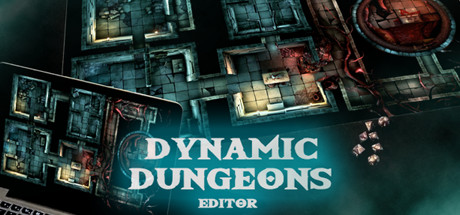
    Dynamic Dungeons Editor was developed for game masters who use a TV or projector to map different premade backgrounds, videos, and images. Animations and particle effects, tokens, and audio files can be used to immerse your players.


    Import Dynamic Dungeons maps or your own images or video files into the storyline and make a playlist, cover and reveal areas with the fog of war tool, apply custom size hex or quad grid overlay.


    Playing on the Tv screen is easier than you think. Simply lay flat your TV. You can protect the screen with a cheap plexiglass sheet, and use dry or wet-erase markers on it, so miniatures and dice rolls won't damage the surface of the Tv. You can also project down the video onto a physical table with an HD projector.


    The Dynamic Dungeons Editor will help you to adjust the color of the video and static maps, import png tokens to represent the players and their foes. You can play various ambient sounds and use particle ...