4
  • steam
  • GameCharts     Steam    DIY - CAD Designer
    Month Avg. Players Gain % Gain Peak Players
    January 2026 0 0 --- 1
    December 2025 0 0 --- 0
    November 2025 0 0 --- 1
    October 2025 0 0 --- 0
    September 2025 0 0 --- 0
    August 2025 0 0 --- 1
    July 2025 0 0 --- 1
    June 2025 0 0 --- 0
    May 2025 0 0 --- 0
    April 2025 0 0 --- 1
    March 2025 0 0 --- 1
    February 2025 0 0 --- 1
    January 2025 0 0 --- 2
    December 2024 0 0 --- 0
    November 2024 0 0 --- 0
    October 2024 0 0 --- 0
    September 2024 0 0 --- 0
    August 2024 0 0 --- 0
    July 2024 0 0 --- 0
    June 2024 0 0 --- 0
    May 2024 0 0 --- 0
    April 2024 0 0 --- 0
    March 2024 0 0 --- 2
    February 2024 0 0 --- 2
    January 2024 0 0 --- 1
    December 2023 0 0 --- 2
    November 2023 0 0 --- 0
    October 2023 0 0 --- 0
    September 2023 0 0 --- 1
    August 2023 0 0 --- 2
    July 2023 0 0 --- 1
    June 2023 0 0 --- 1
    May 2023 0 0 --- 2
    April 2023 0 0 --- 2
    March 2023 0 0 --- 2
    February 2023 0 0 --- 1
    January 2023 0 --- --- 0

    About DIY - CAD Designer

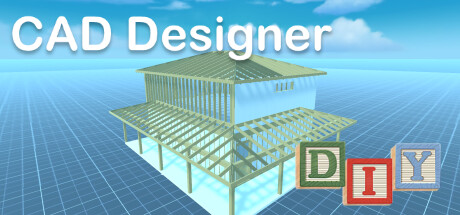
    Do you have an idea, would you like to do some handicrafts yourself? You are planning a do-it-yourself project in your own home, maybe you want to build your own table, a canopy or a cupboard? But are you still looking for suitable software to plan your project and draw it beforehand, preferably in 3D?

    Then DIY CAD Designer is just right for you!

    Download DIY CAD Designer today and implement your project in a playful way.

    DIY CAD Designer has numerous libraries so you can easily drag and drop wooden beams, boards, sheets, rods and much more into your 3D scene to construct your project.

    You can also use the importer to import models from other programs to use in your project.
    With DIY CAD Designer you can import the following formats:

    - FBX
    - OBJ
    - GLTF2
    - STL
    - PLY
    - 3MF

    Numerous libraries make your work easier. DIY CAD Designer contai...